

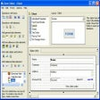
User-friendly database creator with visual tools for forms, reports, automation, and custom data exchange
User-friendly database creator with visual tools for forms, reports, automation, and custom data exchange
Vote (3 votes)
Program license Trial version
Developer Brilliantdatabase
Version 7.5
Works under Windows
Vote
(3 votes)
Developer
Brilliantdatabase
Works under
Windows
Program license
Trial version
Version
7.5
Pros
- Visual, intuitive interface for database creation and management
- Flexible form and report editors for customized data entry and printing
- Automated scripting and calculations without coding skills required
- Custom toolbar and workflow adjustments enhance usability
- Effortless import/export with drag-and-drop and template-based exports
Cons
- Lacks advanced multi-user collaboration features
- Cloud and web integration options are limited
- Not optimized for extremely large or complex enterprise databases
Powerful, user-friendly database software for building custom solutions
Overview
Brilliant Database provides a versatile environment for creating and managing custom databases on Windows systems. Designed to cater to users without technical expertise, this software suite enables the development of robust database applications through visual tools and flexible editors. Its modular approach covers everything from form creation to data import/export and automation.
Features
Visual Form Editor
The heart of Brilliant Database lies in its Form Editor, offering a drag-and-drop interface. Users can build database forms intuitively by selecting elements from a palette and placing them onto forms. Customization options for color, font, layout, and controls support designing interfaces that align closely with user or business requirements.
Comprehensive Reporting and Printing
The Report Style Editor delivers flexibility in designing print layouts. It supports a range of formats such as catalogs, business cards, envelopes, and labels. Users can visually arrange how information appears when printed, enabling the creation of professional-quality documents directly from the database.
Toolbar and Menu Customization
With the Toolbar Editor, it becomes possible to adapt the interface for optimal workflow. Users can define custom buttons, menus, and keyboard shortcuts, making frequently-used operations more accessible.
Data Calculation and Automation
Brilliant Database features a Formula Editor where standard mathematical operations and formulas can be set up for automated data calculation. For recurring operations, the Visual Script Designer uses guided steps to help users automate processes without the need for scripting knowledge.
Flexible Data Import and Export
Custom import functionality enables dragging and dropping data from various external sources such as text documents, mailing applications, or web content. Export templates can be crafted for plain text or HTML, and integration with MS Word is built-in, facilitating document automation and data sharing.
Performance and Usability
The application exhibits strong performance on modern Windows machines, efficiently handling medium to large datasets. Its interface is geared toward non-programmers, but also includes advanced options that appeal to power users who want deeper customization. The step-by-step construction process and context-sensitive help system contribute to an accessible onboarding experience.
Use Cases
Brilliant Database is suitable for small businesses, professionals, and enthusiasts in need of a custom database without the steep learning curve associated with traditional database management systems. Common applications include contact management, order tracking, inventory systems, and document organization.
Limitations
While approachable, Brilliant Database may not match the scalability or feature set of enterprise-level database systems. Collaborative or web-based database deployments are not its primary focus. Additionally, modern cloud integration options are limited compared to newer platforms.
Pros
- Visual, intuitive interface for database creation and management
- Flexible form and report editors for customized data entry and printing
- Automated scripting and calculations without coding skills required
- Custom toolbar and workflow adjustments enhance usability
- Effortless import/export with drag-and-drop and template-based exports
Cons
- Lacks advanced multi-user collaboration features
- Cloud and web integration options are limited
- Not optimized for extremely large or complex enterprise databases


